Your games.
Every Apple screen.
Play on your iPhone. Pause. Pick it up on your Apple TV. Finish on your Mac. Same save. No cable. No sync button. Nothing to remember.
Coming soon on the App Store
See how it works ↓How it works.
With iCloud enabled on both devices.
Play on the phone.
Relay saves as you go. Nothing to press.
Put it down.
Go sit on the couch. Grab a controller.
Press Continue on the TV.
You're back. Same spot, same save.
Two devices disagree? Relay keeps both saves and asks you. Nothing gets overwritten.
Your Apple TV was already a console.
It just needed Relay.
- Controller pairs, game plays. No setup required.
- Top Shelf shows what you were playing. Press once.
- Remote for menus. Controller for games.
Drop your games in.
Relay finds the covers, sorts them by system, and keeps your saves with you. You just play.
No games included. Bring your own.
Relay Transfer · Relay Pro
On your computer.
Straight into Relay.
Choose your device. Drop your files or a whole folder. Relay adds supported games to your library, even when they come from different systems.
Relay Pro + a free Relay Account are required.
Open Relay.
Add games → From a computer. Keep this screen open.
Open your browser.
Sign in with the same Relay Account, open Transfer, and pick your device.
account.relayemu.appDrop. Watch. Play.
Follow every file from sending to import. Two files can travel at once.
Files go straight to your device, or through an encrypted EU relay. Relay never stores them.
No transfer size cap. Your device still needs room, and supported formats apply.
How Transfer protects your filesRelay Sync
Your games. Your progress.
Beyond one ecosystem.
Keep your library, saves and play history together with a Relay Account. Relay Sync gives you 100 GB; Sync+ gives you 500 GB. Both include Relay Pro while your subscription is active. Game-file sync is your choice.
Relay for Android is coming. Relay Sync connects the Apple and Android ecosystems: when the Android app arrives, use the same Relay Account to carry your library and progress between them.
Staying with Apple? Your private iCloud sync remains free. Relay Sync is a separate, optional storage plan.
Own Pro Once? Your personal storage allowance becomes 125 GB with Sync or 600 GB with Sync+.
Not in the box.
Most apps list what they have. Here's what Relay doesn't. On purpose.
- Ads
- Tracking
- Included games
- Works offline
- Your iCloud, not ours
- Saves that follow you
One library. Four apps.
Each one built for its screen. Not one app stretched four ways.
iPhone
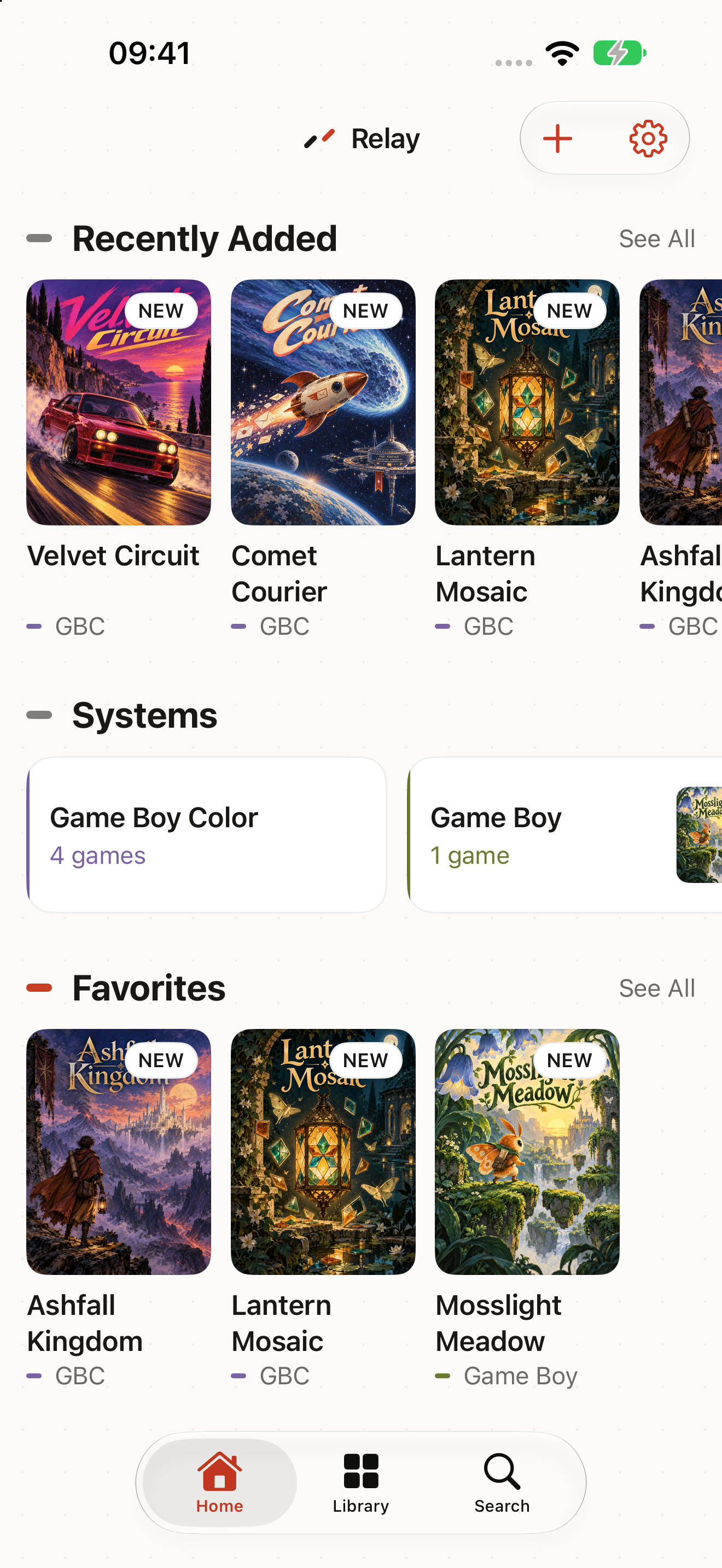
iPhone Duo - Touch controls that stay out of the picture
- Pair a controller, they vanish
- Adapts to iPhone Duo
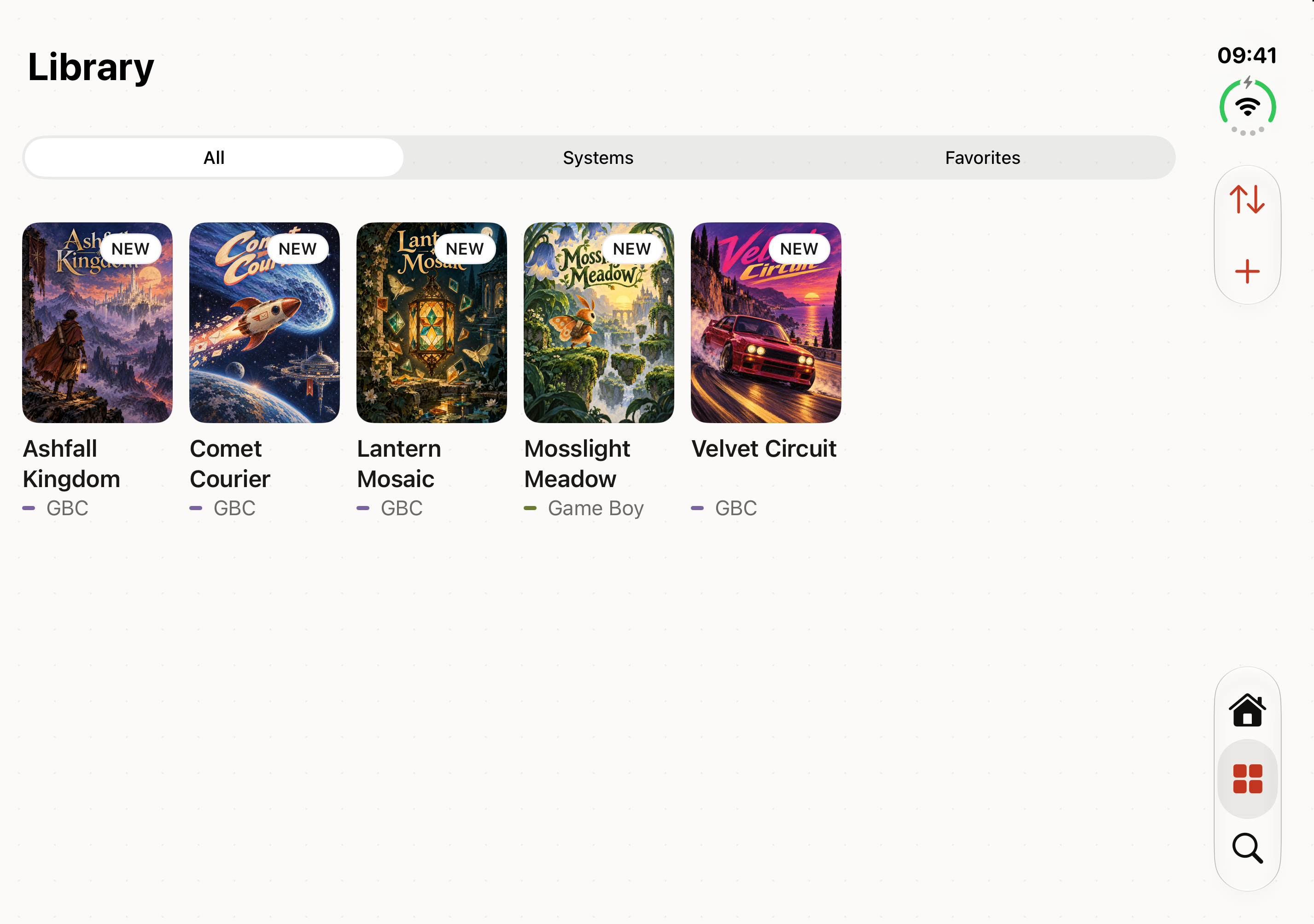
iPad
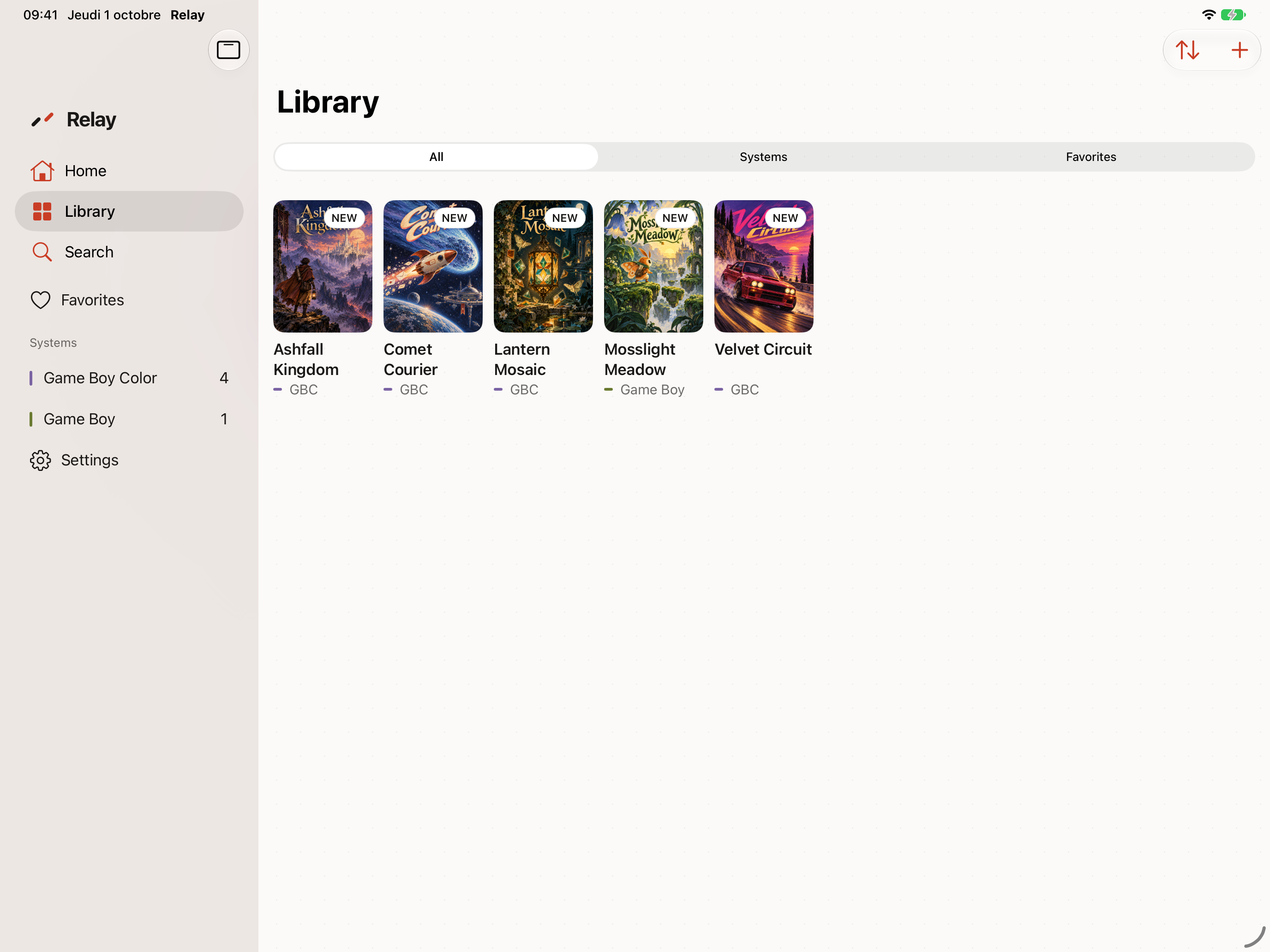
- Sidebar, big grid, drag files in
- Keyboard, pointer, controller
Apple TV
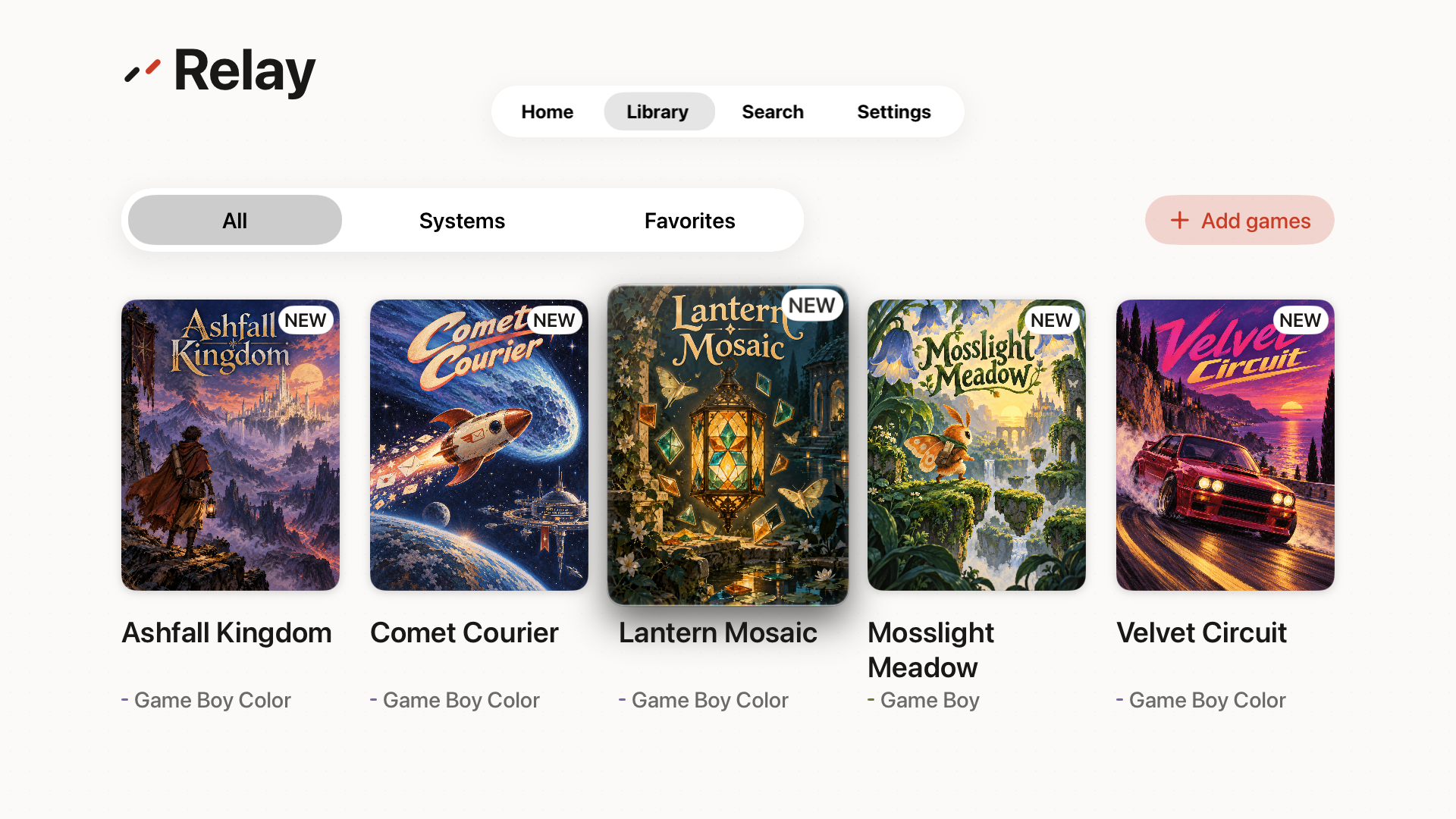
- Controller first, big artwork
- Continue Playing on Top Shelf
Mac
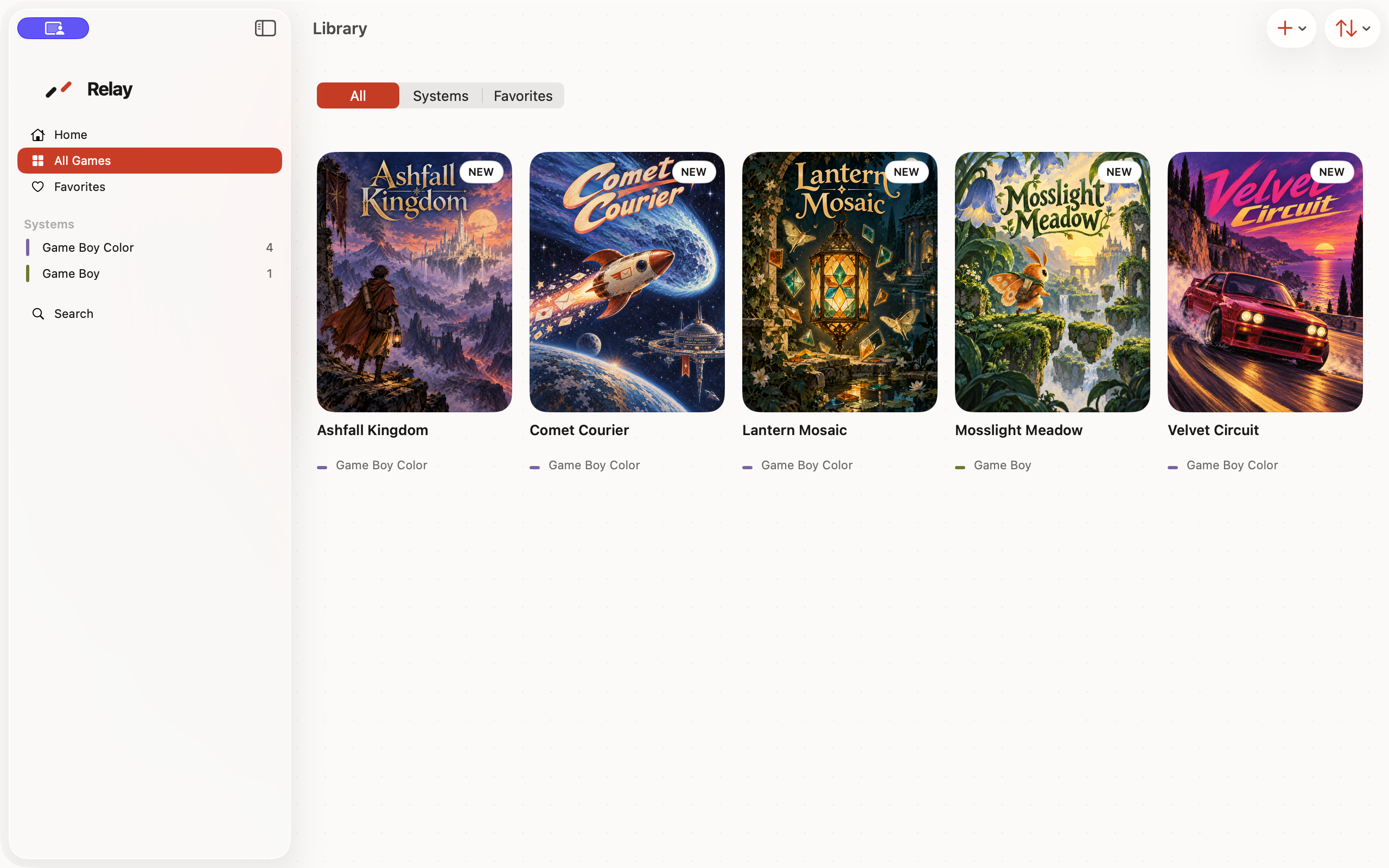
- A real Mac app, Apple Silicon
- Menu bar, shortcuts, full screen
Actual Relay screens follow the selected light or dark appearance. Fictional titles and original covers illustrate a personal library. No games are included. Open a capture to see it at full size.
Consoles.
Ticked ones run today. The rest depend on licensing and testing. No dates yet.
Handheld
- Game Boy ✓ runs today
- Game Boy Color ✓ runs today
- Game Boy Advance ✓ runs today
- Nintendo DS ✓ runs today
- Game Gear ✓ runs today
- WonderSwan ✓ runs today
- WonderSwan Color ✓ runs today
- Neo Geo Pocket
- PSP
Console
- NES ✓ runs today
- Super NES ✓ runs today
- Nintendo 64
- PlayStation ✓ runs today
- Master System ✓ runs today
- Genesis / Mega Drive
- PC Engine / TurboGrafx-16 ✓ runs today
Before your first game.
The right files, comfortable controls, and progress you can take to another screen.
Free is a whole emulator.
Pro adds the power tools.
Once or Monthly.
Free
- All twelve launch systems
- Your library, covers, search
- Default controllers and touch controls
- Auto, Quick, and manual saves
- Saves in iCloud
- Opt-in game files in iCloud
- No time limits, no nagging
Once is the recommended option
Relay Pro adds
- Start and continue games in the native Relay app for Mac
- Up to 60 seconds of rewind
- Advanced speeds when the core supports them
- Custom touch layouts and controller mapping
- Manual cheats with a pre-cheat safety save
- Curated advanced display controls
- Transfer files and folders from a computer’s browser
Got questions?
We've got some answers.
The rest are in the app. Or by email.
- Does Relay include games?
- No. Bring the game files you own. Relay never bundles games or firmware, and never links to places that do.
- Where do my games come from?
- From you. The Files app, AirDrop, a folder on your Mac, or a drag into the window. With Relay Transfer, a computer’s browser can send files and folders to any Relay device. Transfer needs Pro and a Relay Account. Relay recognizes supported games and finds their covers.
- Do I need an account?
- Local play and iCloud sync need no Relay Account. Transfer from a computer needs Relay Pro and a Relay Account, but no Sync membership. The optional Relay Sync storage plans also need an account.
- Does Transfer put my games online?
- No. Transfer sends them to your device without storing them online. Your device and browser need to stay open and connected. Game-file sync remains a separate choice in your settings.
- Does it work offline?
- Yes. Anything already on the device plays with no network. Sync catches up later.
- What syncs through iCloud?
- Your library, saves, and play history. Game-file sync is free and opt-in. It all lives in your private iCloud storage.
- Is Relay Pro the same as Relay Sync?
- Relay Pro unlocks Mac gameplay, advanced play tools, and Transfer from a computer. Relay Sync and Relay Sync+ are separate online storage plans that include Pro while active. iCloud sync stays free.
- Which controllers work?
- PlayStation, Xbox, MFi, 8BitDo, and other standard Bluetooth controllers. Keyboard on iPad and Mac. No setup.
- Is Apple TV really supported?
- Yes. It's the screen the whole idea was built around. Controller first, big artwork, Continue Playing on Top Shelf.
- Is Mac supported?
- Yes. Relay is a native app for Apple Silicon, not an iPad app in a window. Browsing and managing your library is Free; starting or continuing a game on Mac requires Relay Pro.
- Android?
- Relay for Android is coming. Relay Sync connects the Apple and Android ecosystems: when the Android app arrives, use the same Relay Account to carry your library and progress between them.